Getting Started with Intervention Plans
The video below will guide you through each step of creating an intervention plan using the 95 Literacy Intervention System™ (95 LIS™). This process helps you efficiently organize your active student groups from cycle to cycle by leveraging the most recent Phonemic Awareness Screener for Intervention™ (PASI) or the Phonics Screener for Intervention™ (PSI) assessment data displayed on the power grid.
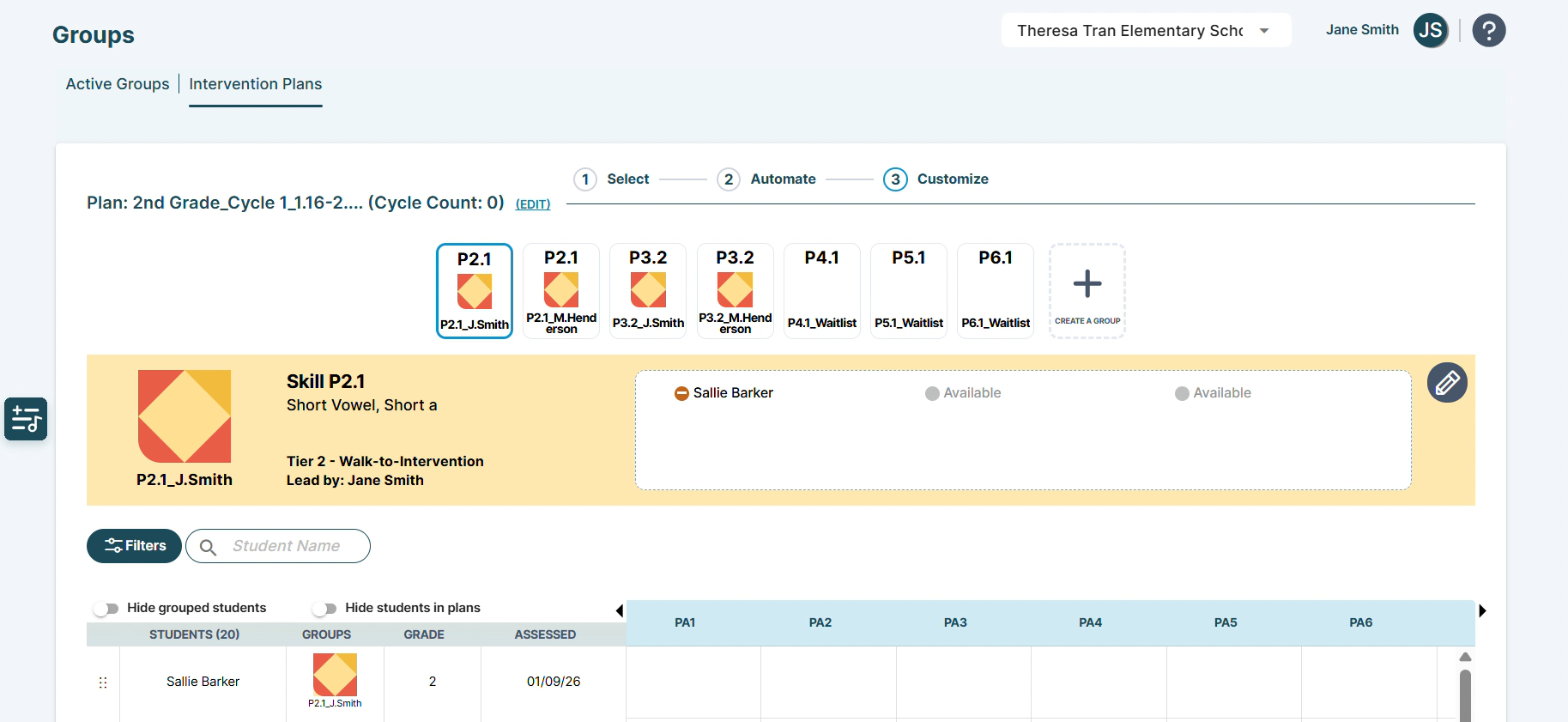
Structuring Your Plans
- Flexible Options: Structure plans by grade level, across multiple grades, by group leader, or by instruction time.
- Single Plan Focus: Create one intervention plan at a time, allowing for focused organization.
- Cycle Updates: Once you've established your intervention plans for the initial cycle, simply update them for each new cycle by adjusting the groups as needed.
Steps to Create an Intervention Plan
Our focus will be on the three key steps:
- Select: Choose the grades to include in your plan (e.g., grade 1).
- Automate: Decide on using either Automated- or Manual-Start options, guiding how the 95 LIS considers recent assessment scores.
- Customize: Build or adjust your groups using the power grid and insights about your students.
- 00:00 – Introduction
- 00:36 – Intervention Plans Tab
- 01:03 – Key Terms
- 02:22 – Grouping
- 02:56 – Select Subtab
- 04:39 – Automate Subtab (Automated-Start)
- 07:26 – Customize Subtab (Power Grid)
- 12:50 – Activating Your Intervention Plan
- 14:29 – Active Groups Tab
- 15:18 – Manual-Start
- 15:53 – Closing
For more details on how these features work together, refer to the Groups | Intervention Plans Page article.
Need Help Naming Your Plans and Groups?
Naming Conventions Best Practices & Tips: Discover useful strategies for naming your intervention plans and student groups with clarity and precision.
95 Percent Group Support is here to help! Contact us via the knowledge base support form.
To learn more about submitting tickets, reference our article on One95 Support.
Was this article helpful?
That’s Great!
Thank you for your feedback
Sorry! We couldn't be helpful
Thank you for your feedback
Feedback sent
We appreciate your effort and will try to fix the article