Navigating Automated vs. Manual Starts
Creating your intervention plans involves a three-step process: Select, Automate, and Customize.
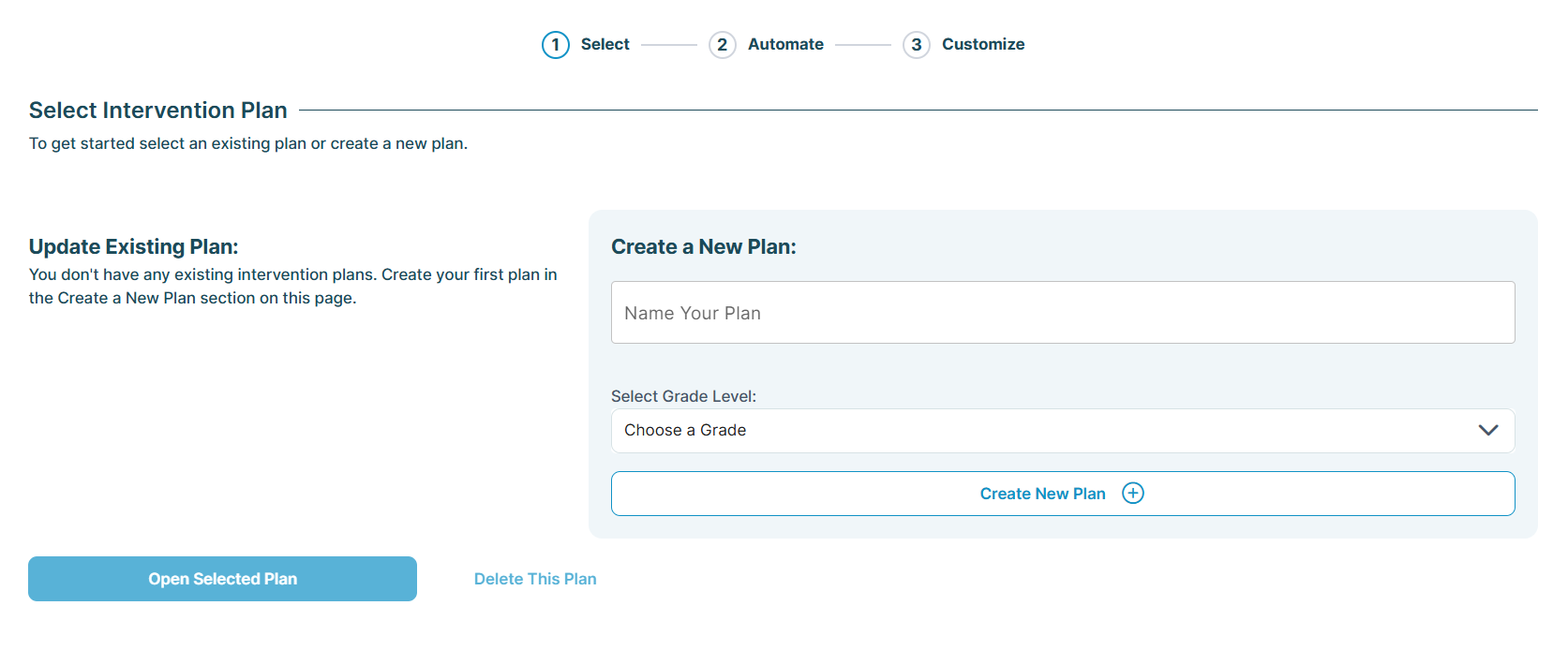
Once you've selected the grade level(s) for your intervention plan, the next step is Automate. Here, you'll guide the 95 Literacy Intervention System™ (95 LIS™) on how to interpret your students' most recent assessment scores.
Automated-Start (highly recommended): Allows the 95 LIS to do the initial work by analyzing skill and subskill results and suggesting groups with starting instructional skills.
Manual-Start: Provides you with the control to analyze the data yourself, build groups from scratch, and determine starting skills independently.
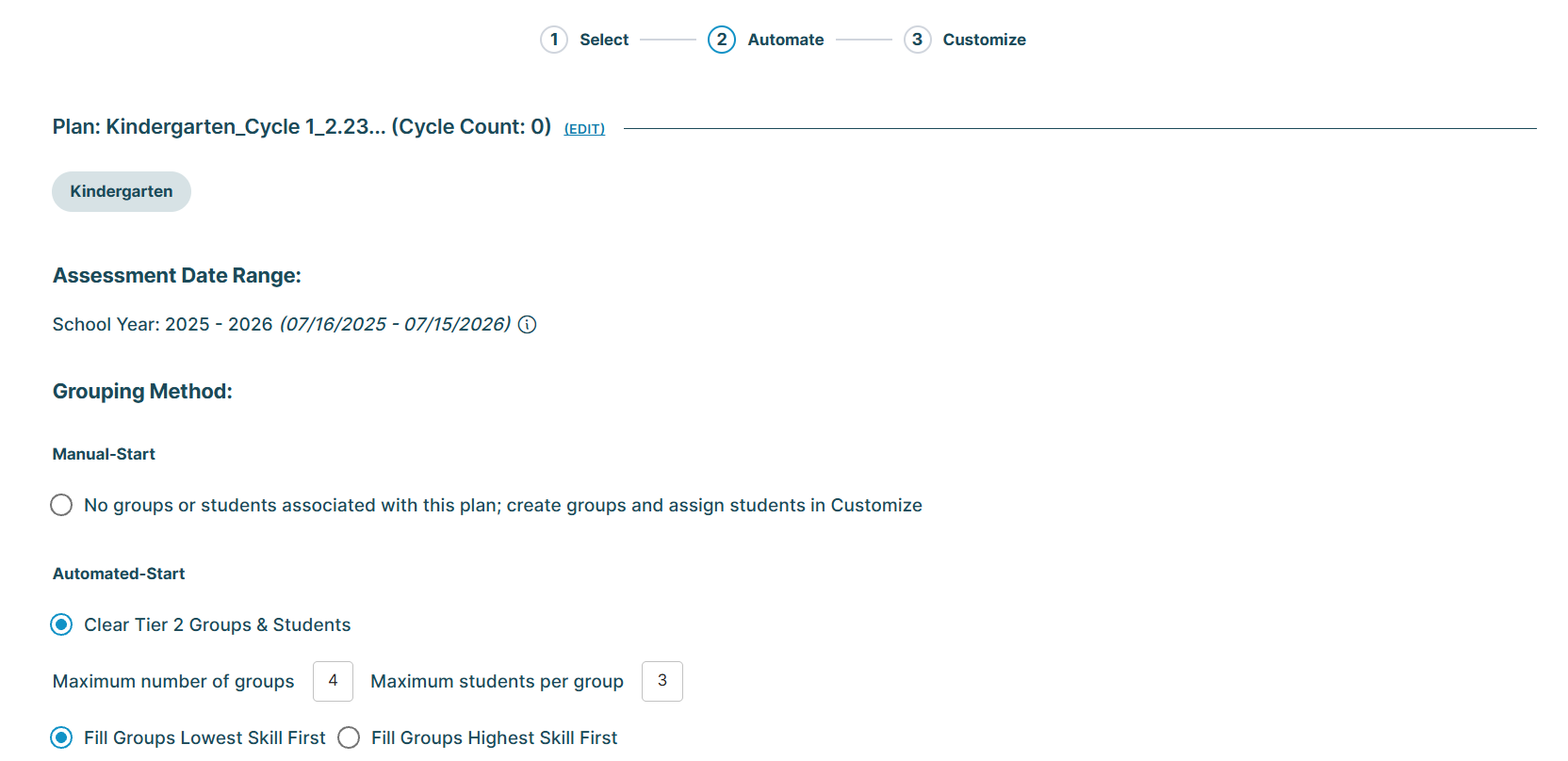
Deciding between Automated- or Manual-Start for student grouping depends on your strategy and the number of students you’re grouping at once. Review the details below and choose the option that best fits your needs.
Automated-Start (Highly Recommended)
Automated-Start lets the 95 LIS manage the initial setup for your groups. It is ideal if you're handling a large number of students, have extensive assessment data to organize, and seek a quick, data-driven starting point.
This feature analyzes students' latest Phonemic Awareness Screener for Intervention™ (PASI)/ Phonics Screener for Intervention™ (PSI) skill and subskill results on the power grid, identifies common gaps, and groups students based on instructional needs. After the auto-grouping, you can refine the groups by moving students, adding new groups, or making other adjustments as necessary.
When selecting the Automated-Start option, the 95 LIS will prompt you for details such as the maximum number of groups, the maximum number of students per group, how you want the groups to be filled by skill level, and which specific skills should be considered when analyzing the most recent skill and subskill results.
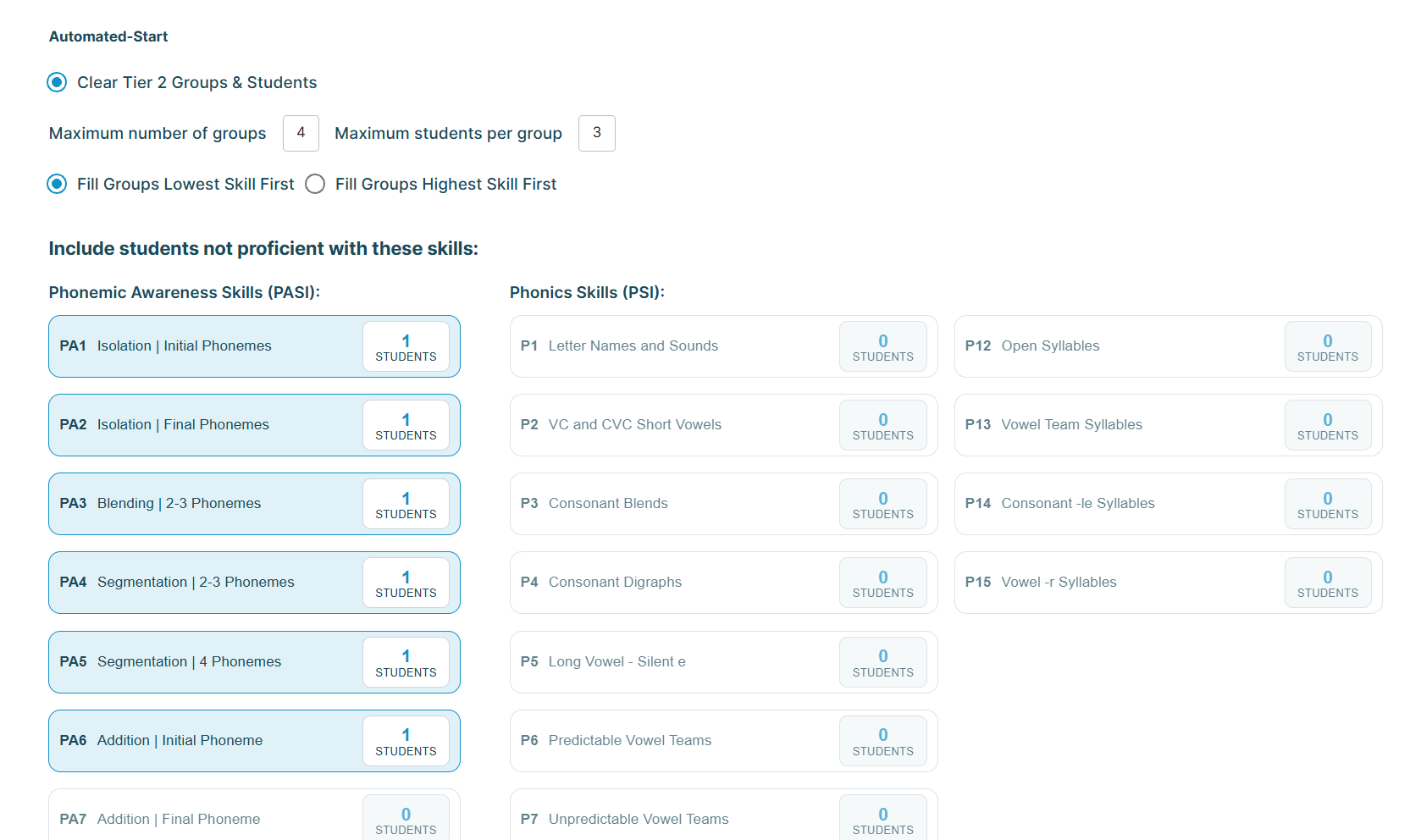
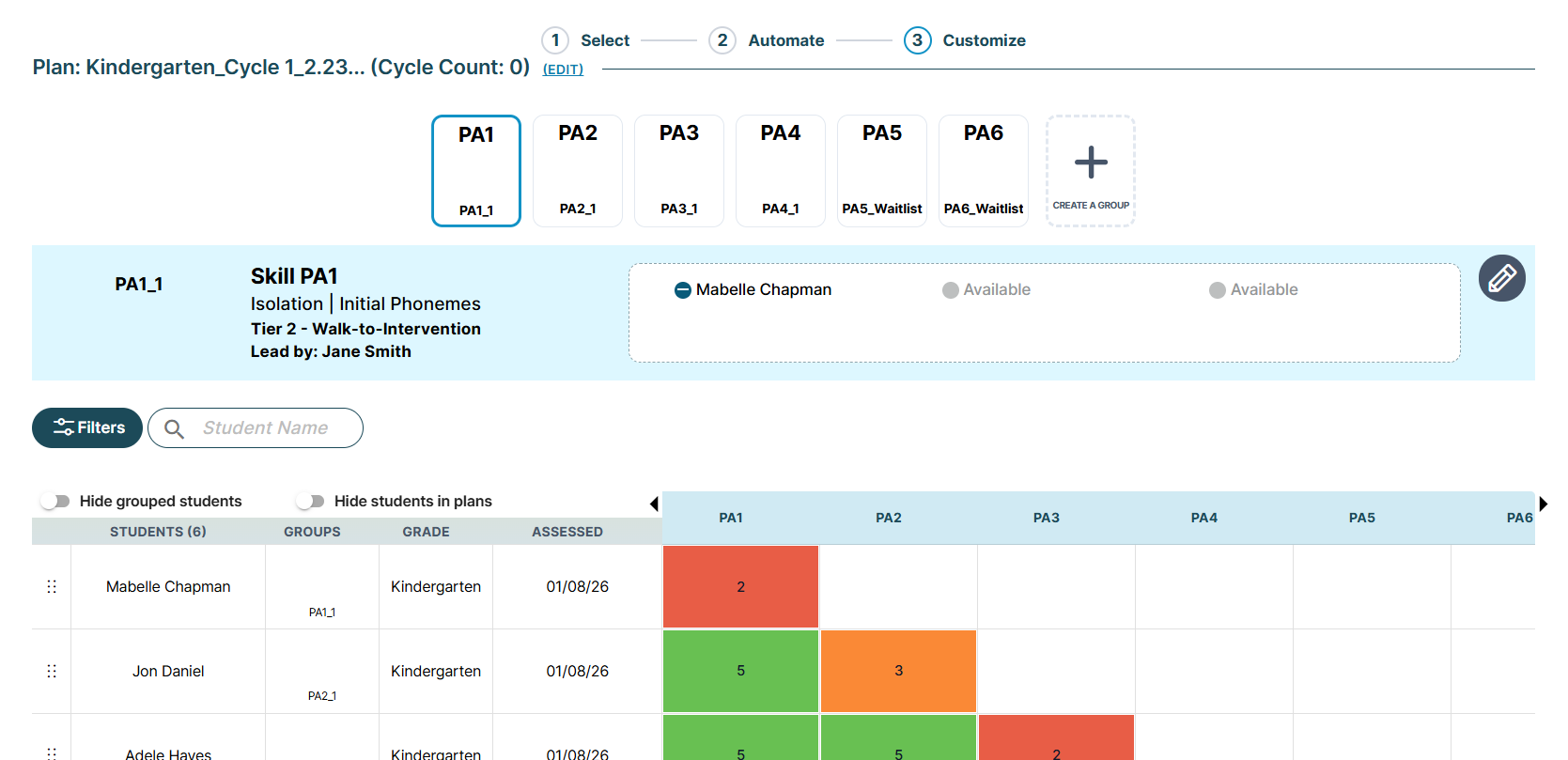
The 95 LIS then uses the parameters you've provided to analyze student scores and suggest groups. Students are placed into groups based on shared skill gaps, helping you quickly identify instructional skills and subskills for each group. This serves as a starting point, allowing you to customize groups further by adding, removing, or relocating students as needed.
Manual-Start
Manual-Start gives you full control to analyze student data and build groups from scratch. It's ideal if you're working with a very small number of students and prefer to manage the grouping process entirely yourself.
With Manual-Start, you'll review each student's latest PASI/PSI skill and subskill results on the power grid, determine their instructional level, and form groups based on your analysis.
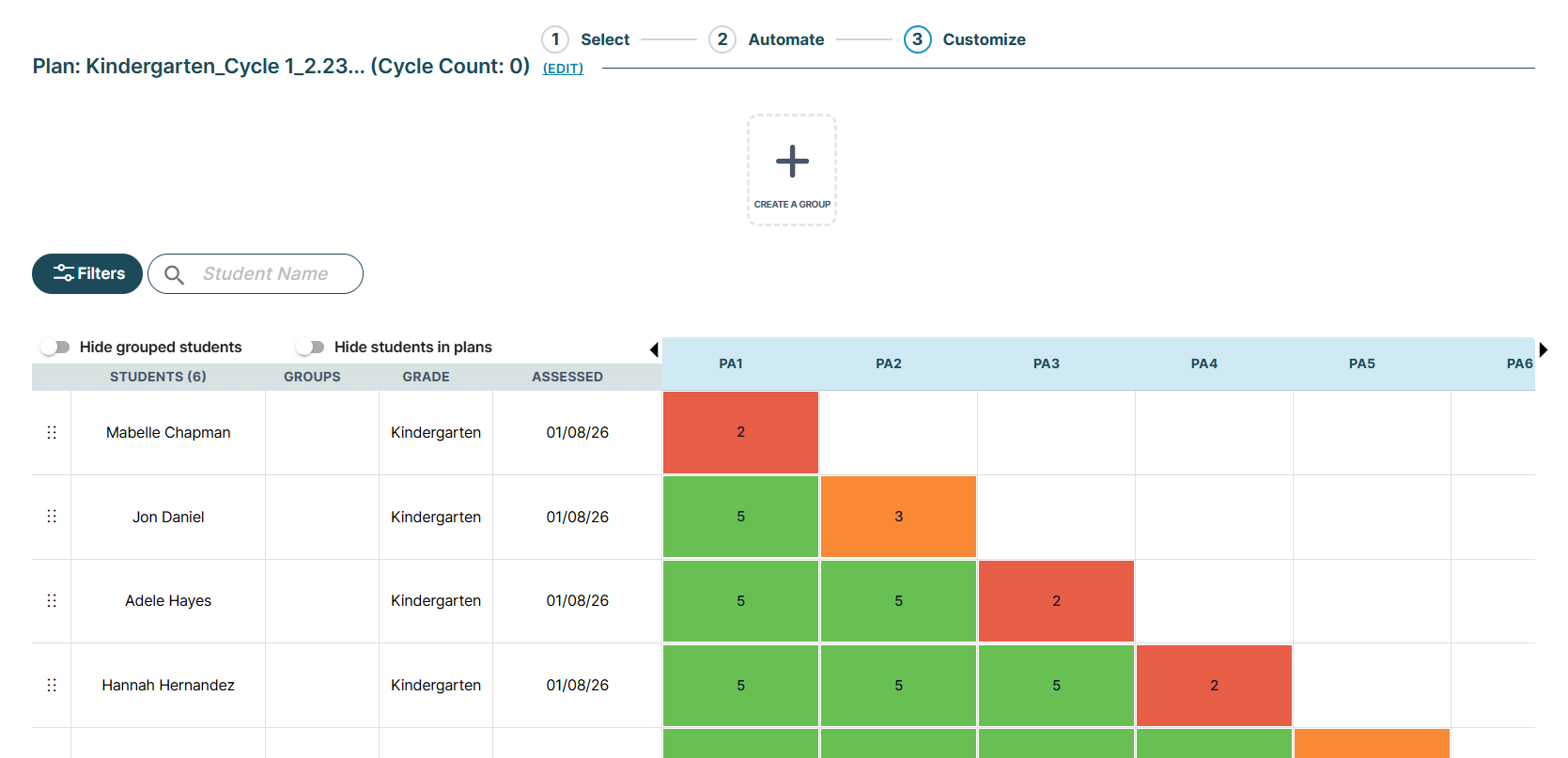
Choosing the Manual-Start option takes you directly to the Customize screen, where you can use filter options to analyze your power grid data and manually create your groups one by one.
Discover Naming Strategies and Develop Your First Intervention Plan
Developing Your First Intervention Plan with Student Groups: Access detailed guidance on creating your first intervention plan and organizing student groups.
Naming Conventions Best Practices & Tips: Discover useful strategies for naming your intervention plans and student groups with clarity and precision.
95 Percent Group Support is here to help! Contact us via the knowledge base support form.
To learn more about submitting tickets, reference our article on One95 Support.
Was this article helpful?
That’s Great!
Thank you for your feedback
Sorry! We couldn't be helpful
Thank you for your feedback
Feedback sent
We appreciate your effort and will try to fix the article